
Revenue by region
Compare performance across business units or regions.
North
East
West
62%
82%
100%
OneMan-AI helps teams connect SQL databases, CSV and Excel files, and API-based data sources, then turn natural-language questions into reusable tables, charts, dashboards, and explainable results.
SQL + files
Connected business sources
4 views
Chart styles shown here
Reusable
Results ready for dashboards

Revenue workspace
Connected sources, chat, and reusable BI results
Postgres CRM
128 tables synced
Revenue.xlsx
Uploaded file
Billing API
Daily refresh
Reusable dashboard tile
Save the answer as a chart, table, or dashboard tile for the team.
Dashboard tile
Revenue
$510K
Margin
31%
Risk
Low
Saved
Team
How this was produced
Generated query
Grouped invoice revenue by region and quarter.
Business definition
Revenue excludes refunds and internal test accounts.
Which regions grew revenue fastest this quarter, and can I reuse the result in a dashboard?
Answer with reusable result
Chart ready| Region | Revenue | Growth |
|---|---|---|
| North | $124K | +8% |
| East | $156K | +15% |
| West | $230K | +18% |
Quarterly revenue trend
+18%Dashboard tile
Revenue
$510K
Margin
31%
Risk
Low
Saved
Team
How this was produced
Generated query
Grouped invoice revenue by region and quarter.
Business definition
Revenue excludes refunds and internal test accounts.
Reusable dashboard tile
Save the answer as a chart, table, or dashboard tile for the team.
Core workflow
Connect the sources your team already trusts, ask in plain language, and keep useful results available for the next decision.
Bring together SQL databases, uploaded CSV or Excel files, and API-backed datasets in one BI workspace.
Use chat to ask about revenue, customers, operations, or any domain vocabulary your team maintains.
Review generated tables, charts, dashboards, and saved answers without manually rebuilding every report.
Visual BI results
OneMan-AI turns answers into the BI views teams expect: comparisons, segments, hierarchy, geography, reusable tables, and dashboard tiles.
SQL + files
Connected business sources
4 views
Chart styles shown here
Reusable
Results ready for dashboards
Revenue by region
Compare performance across business units or regions.
62%
82%
100%
Customer segments
Spot outliers and clusters across account behavior.
Volume
Margin
5
Business hierarchy
Break results down by department, category, or owner.
34%
Finance
28%
Sales
22%
Ops
Regional performance
Map local or country-level metrics when location matters.
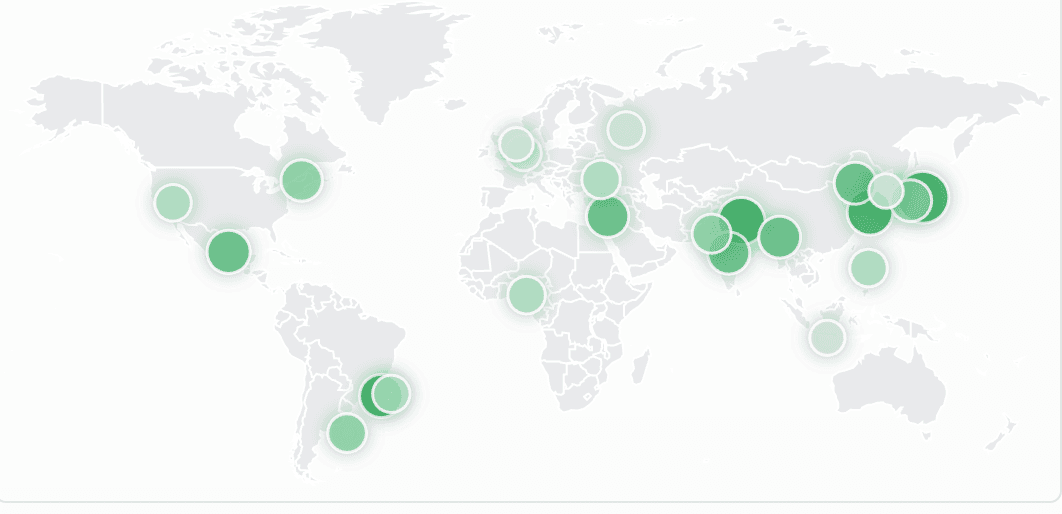
+8%
Americas
+15%
EMEA
+18%
APAC
Capabilities
The product experience stays close to the data: sources, questions, results, and the details behind each answer.
Move from a chat answer to structured results your team can inspect, save, and reuse.
Work in English, Farsi, or Arabic with layouts that respect right-to-left reading and mixed business terms.
Use domain definitions so answers line up with how your organization describes metrics and entities.
Prefer trusted systems and explain where each answer came from when that context is available.
Trust and clarity
OneMan-AI is designed to make generated analysis inspectable, so business users can understand how an answer was produced before they rely on it.
Explainable results
Show the produced query, selected fields, and answer details when available.
Shared definitions
Use business terms and domain vocabulary to reduce metric confusion.
Trusted sources
Respect source preferences so teams can prioritize authoritative data.
Demo and contact
Share the sources and questions your team works with. We will help you evaluate the right setup for connected databases, uploaded files, multilingual chat, and reusable BI results.